Integrate With with Third-Party Systems
Download user requirements structured by context-of-use as a single CSV file
How it Works
Import the downloaded CSV file into third-party system. This allows user requirements to be managed as work items while maintaining traceability to their original context of use.
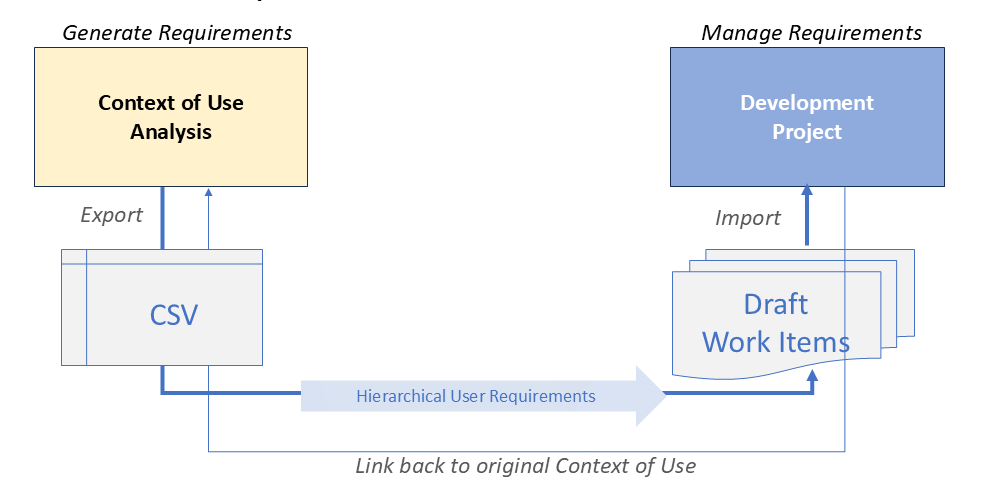
Basic steps to research and export context-of-use data
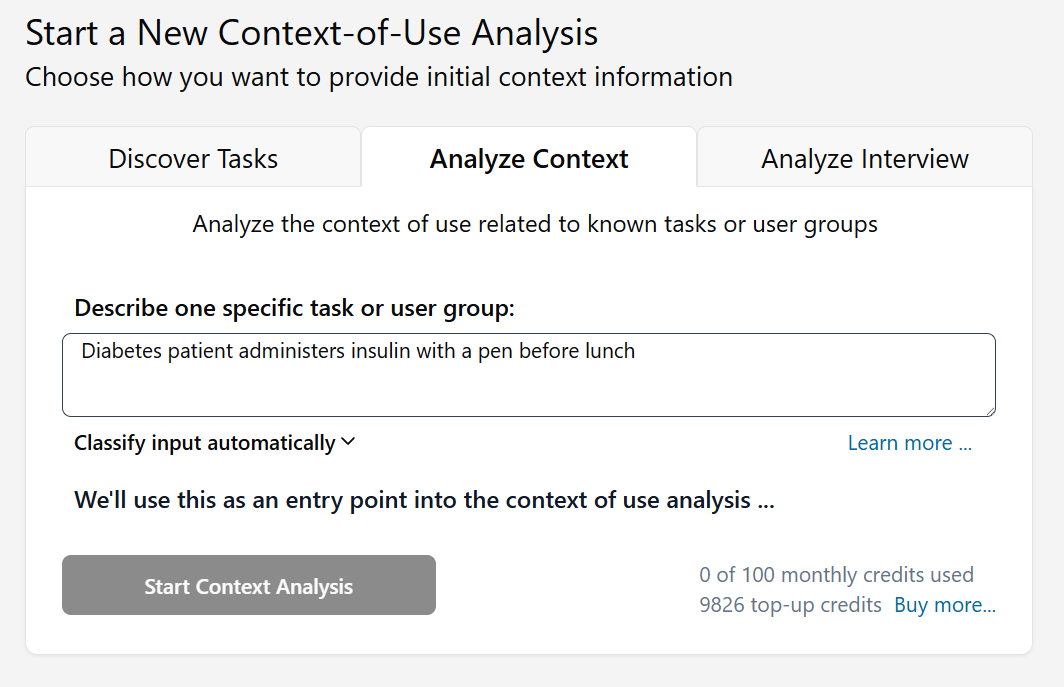
Analyze the task domain you are interested in
Your input will be used as the anchor for discovering the relaetd context of use.
Tips
You can choose task, responsibility, persona, or journey as scope for your context of use analysis.
You can export research results anytime from an existing analysis.
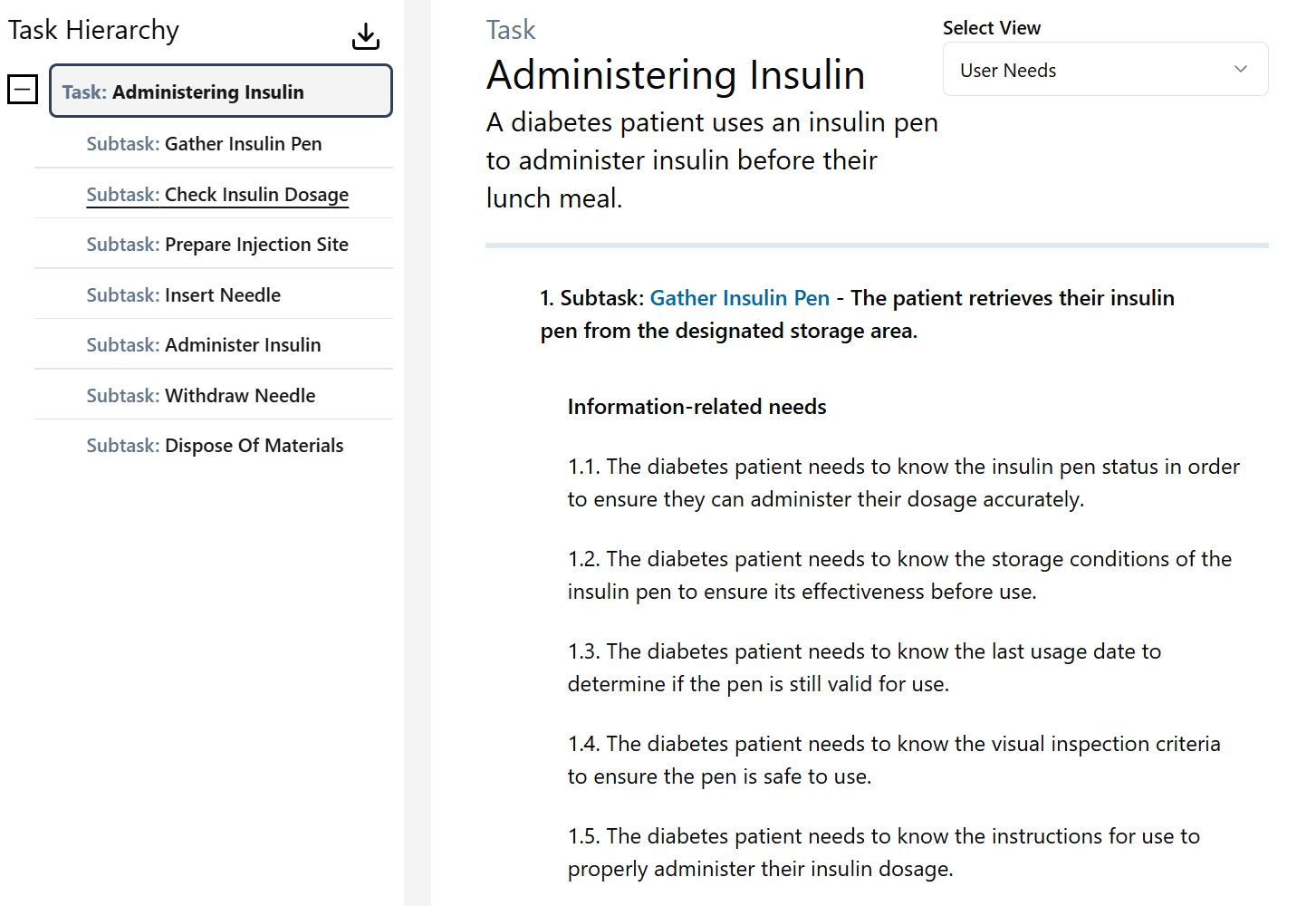
Click on Download Button in Task Hierarchy View
Use this function to export requirements related to items in the task hierarchy.
Tips
Content from your current position downwards to the subtask level will be exported.
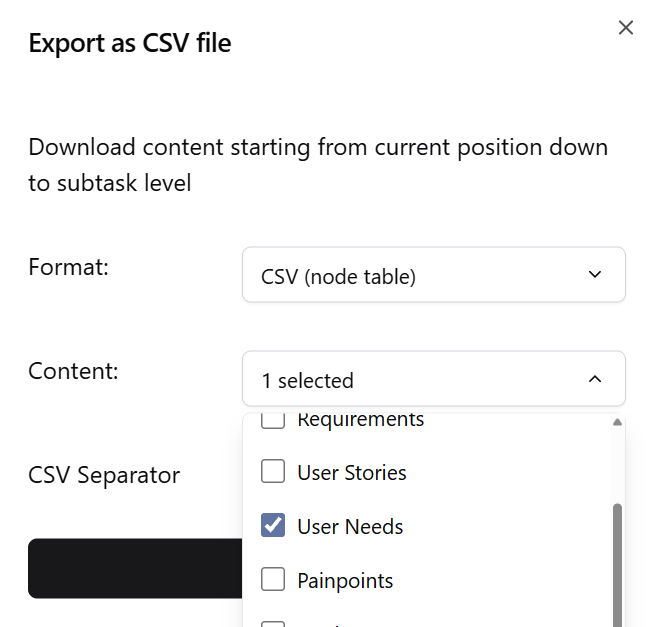
Choose file format and content
Choose 'node table' as output format and select content types that should be included in the export
Import file into your target system
The export file contains an export of the selected entities of the knowledge graph representing the context of use. It uses a specialized Single-Pass Tabular Format that blends nodes (entities) and edges (relationships) into a single, ordered table. The format is highly efficient: it is designed to be read sequentially from top to bottom in a single run, without needing to look ahead or perform complex database joins. Your parser should read the file row-by-row and handle them based on the 'Type' column.
Tips
When reading a table row, create the item with ID, Name, and Description, and create the relationship to parentId with type RelationshipsRole.
Exception: When type is 'Edge', only create a relationship for existing item ID to parentId with RelationshipsRole.
Export Table Format
Content will be exported in tabular structure, with each row representing one content item within the task hierarchy, and the columns specify content and meta data of the item.
| Column | Description |
|---|---|
| Type | Type of content item |
| ID | ID of content item |
| Order | Order of content Item within same hierarchy level |
| RelatedId | ID of parent or related item. |
| RelationshipRole | Type of relationship between items |
| Hyperlink | URL to content item within Context of Use Analysis |
| Status | 'New' |
| Author | 'PCA' |
| Title | Title of content item |
| Description | Desciption of content item |
Tips
A relationship of type 'is .. of' describes a hierarchical relationship (part of) between two items.
All parents up to the root items are always included in the table independent of your current position within the task hierarchy.